
AI screen recorder for Mac
An AI screen recorder for Mac your agent can actually edit
Cadre is an AI screen recorder for Apple Silicon Macs. It captures the screen, system audio, microphone and camera, then lets a supported AI agent inspect the same editable project and apply cuts, zooms, captions, framing and export under your direction. The recording stays local; connected agents follow their own data policies.
In short: Use Cadre when you want a finished product demo or tutorial, not only a transcript or meeting recap. Record or import footage, direct the edit in plain language, inspect every change on the timeline, revise it, and export when it is right.
From Mac screen recording to an editable AI-directed video
- Record or import. Capture the Mac screen, system audio, microphone and optional camera, or bring in existing footage.
- Give the agent grounded context. Cadre exposes the project, transcript, timing, interaction events and selected visual evidence through its authenticated local Agent API.
- Direct precise changes. Ask for cuts, speed changes, zooms, captions, masks, layouts, styling, audio adjustments or an export in plain language.
- Review and revise. Agent changes remain visible on the same non-destructive timeline, use the same validation and undo history as manual edits, and can be adjusted before export.
This is a production workflow rather than a one-click “enhance” promise. You can edit manually at any point, and a connected assistant remains a separate service with its own account settings and data policy. Read the 62-tool Agent API and security boundary before connecting sensitive footage.
Choose the AI screen recorder that matches the job
Putting “AI” beside a record button can describe several different products. Decide whether you need a written artifact, automatic cleanup, meeting memory or an editable finished video:
- AI packaging: generates a title, summary, chapters, tasks or share message after a recording.
- AI cleanup: removes filler words, silences or background noise with a fixed automated action.
- Meeting intelligence: records a call and produces notes, action items or a searchable transcript.
- Agent-directed production: understands the source, makes precise timeline edits and revises them when you give new direction.
Cadre is built around the fourth model. Packaging, cleanup and transcription can be parts of the workflow, but the goal is the finished video—not a text artifact attached to the raw take.
The AI needs evidence, not guesses
A useful video editor needs to know what was said, what happened on screen and when the important moments occurred. Cadre can provide an agent with a private, time-aligned transcript; cursor, click, shortcut and scroll context; project metadata; and focused visual evidence from the recording.
That context lets the agent ground an instruction such as “cut the long pause before the results, zoom when I open the settings panel, and caption the conclusion.” It can map the instruction to recording time rather than applying a generic effect across the whole clip.
Imported video can also be transcribed and inspected. It will not contain the rich click history of a recording made in Cadre, so the agent relies more heavily on speech and visual context.
The result must stay editable
Cadre's agent uses the same non-destructive editor actions as a person. Cuts, speed changes, zoom keyframes, masks, layouts, captions and styling remain visible in the project. Undo history, validation, autosave and licensing rules still apply.
This is the difference between automation and direction. If the first edit is too aggressive, say “restore the explanation after the second click and hold the zoom half a second longer.” The next pass changes timeline data; it does not flatten the source into an unfixable mystery.
A measured AI edit, not a black-box promise
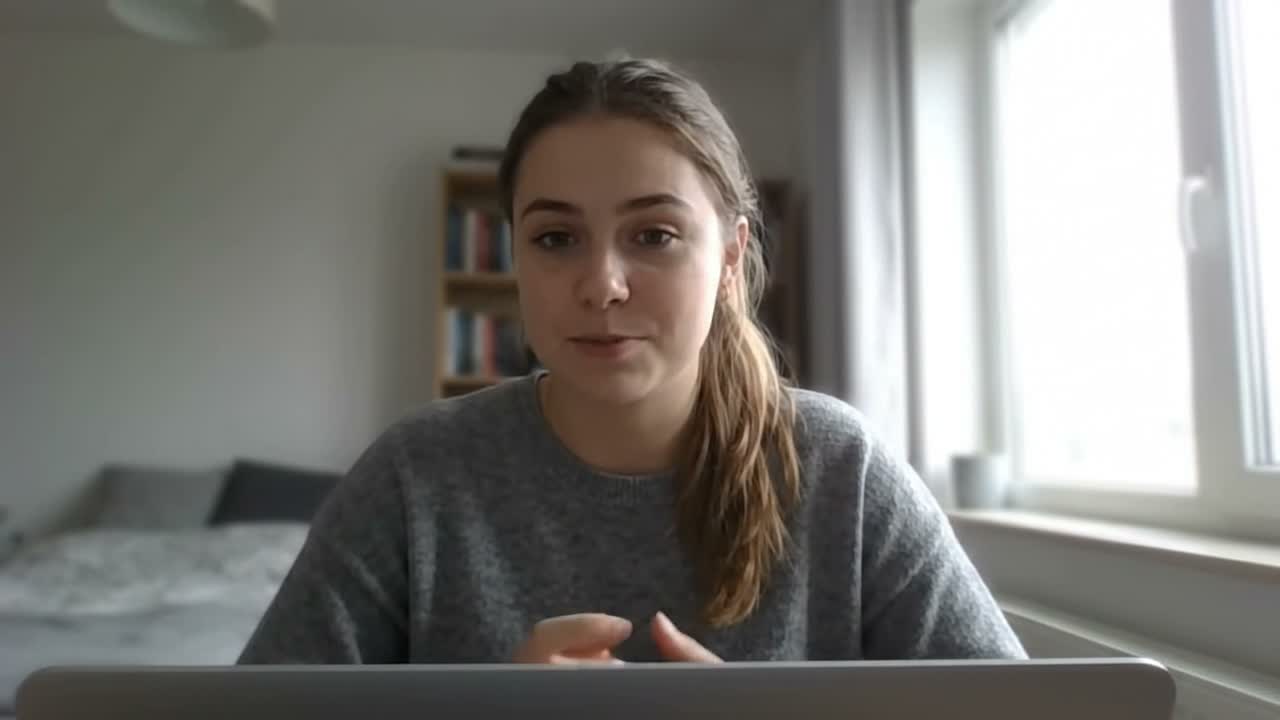
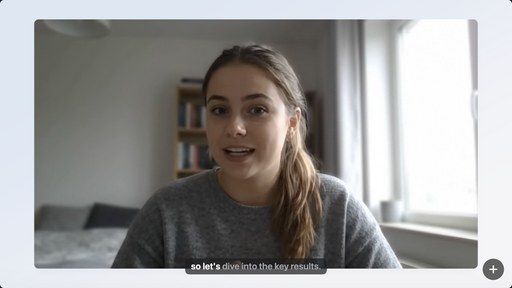
This is a first-party product demonstration—not an independent review or customer testimonial. The machine-readable evidence record exposes the measurements and artifact hashes.
One direction, many finished formats
The same production model applies beyond a software walkthrough. Record screen and camera for a presentation, use speaker notes for a self-filmed company message, or import a recorded conversation and let the transcript guide a focused cut.
In every case, the AI works toward a watchable result: tighter pacing, intentional framing, readable captions, consistent styling and an export made for the audience.
Explore practical workflows for product demos, self-filmed video and recorded conversations.
Available for Mac; Windows is on the roadmap
Cadre is available today for Apple Silicon Macs running macOS 13 or later. A Windows version is planned, but no Windows build or release date is available today.
If you need to record on Windows now, choose a recorder that currently supports your Windows version and required audio, camera, sharing and editing workflow.
Turn the recording into the finished story
Cadre records your Mac and gives you an editable cinematic timeline—automatic zooms, local captions, cuts, styling and an AI agent that can follow your direction.
Record, edit and preview free · Cadre Pro required to export · Apple Silicon · macOS 13+
Frequently asked questions
What is an AI screen recorder?
It can mean a recorder that generates summaries, removes silences, takes meeting notes or edits video. Cadre uses AI as an agent-directed editor: it understands the recording and applies editable timeline changes under your direction.
Does Cadre use AI to edit screen recordings?
Yes. An AI agent can inspect the project, transcript and recording context, then make cuts, zooms, captions, style changes and exports through Cadre's local control surface.
Can I see an AI screen recorder before and after?
Yes. Cadre publishes the exact 10.005-second raw clip and a live editor preview of its 9.500-second saved timeline, including the 505ms tail cut, four local captions and 1.35× zoom. The evidence page clearly identifies the after image as a live preview; it does not present that frame as exported video.
What can I make with Cadre?
Cadre is designed for product demos, software tutorials, screen-and-camera presentations, self-filmed company videos and focused edits from imported conversations or interviews.
Does Cadre work on Windows?
Not yet. Cadre is currently available for Apple Silicon Macs on macOS 13 or later. A Windows version is planned.